mytrace Integration

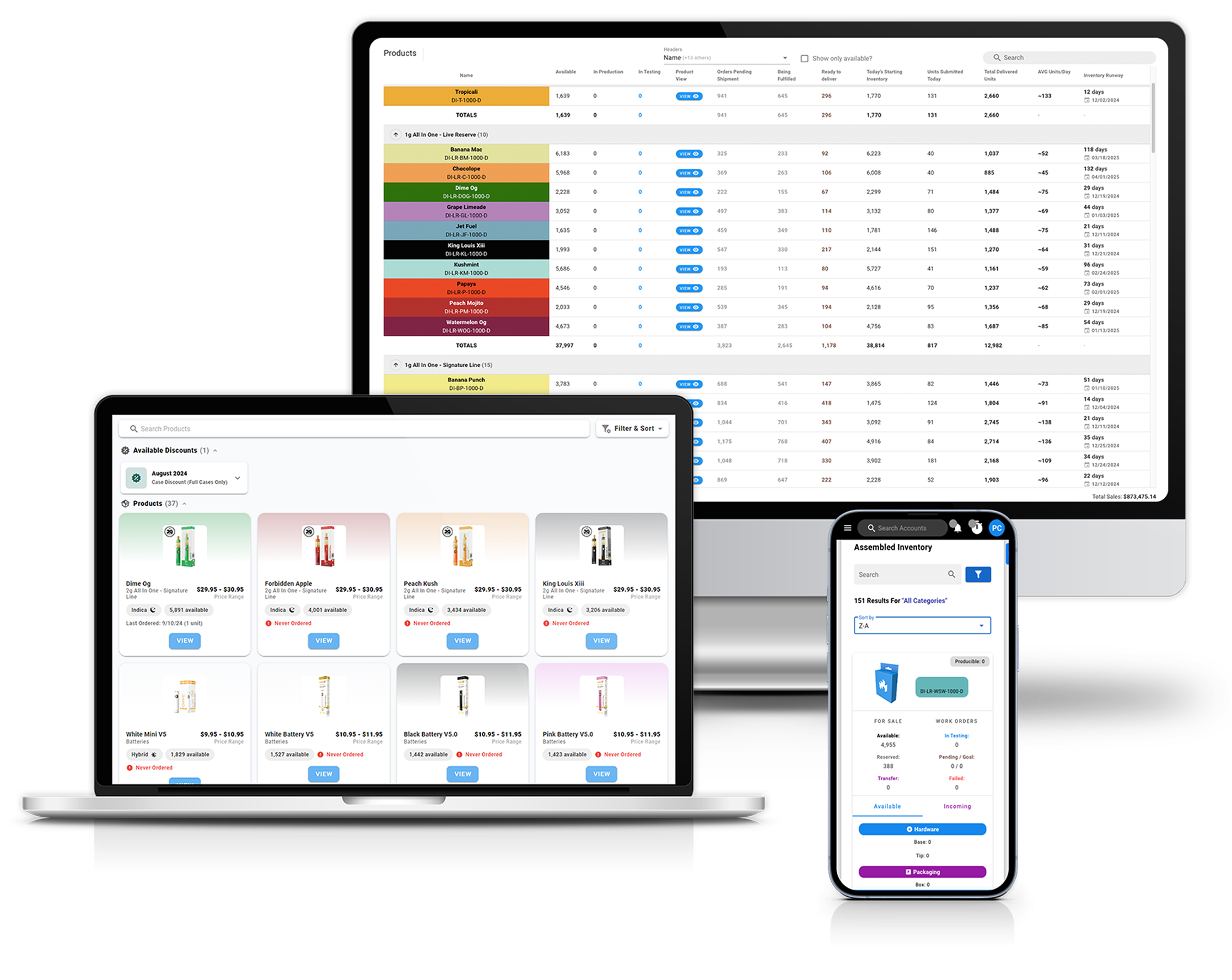
mytrace is is a CRM + ERP platform designed to help you streamline sales pipelines, manage customer relationships, and optimize order workflows. mytrace centralizes critical business functions, connecting sales and operations, so teams can work more efficiently with accurate, real-time data.

Unify Sales and Production

Sync product categories and catalogs from Canix to mytrace so sales always works from up-to-date inventory
Sync customer and account data from Canix to mytrace to keep your CRM aligned with operations
Import sales orders from Canix to mytrace for full visibility into order history and status
Push new sales orders from mytrace to Canix to close the loop between sales and operations

mytrace Modules

Sourcing

Manage brands, products and inventory

Manufacturing

Use components delivered from the sourcing module to create units that are ready for sale

Sales

Manage your accounts, contacts, and orders with mytrace’s built in CRM

Retail

Manage promotions & resolve exchanges with mytrace’s built-in ticketing system

Reporting

Leverage existing account data to create comprehensive reports 

Learn more about mytrace

Visit Website
Thank you! Your submission has been received!
Oops! Something went wrong while submitting the form.

How the integration works

Connect Canix and mytrace using secure API credentials. Once connected, admins can configure which products, categories, customers, and orders sync between systems. After setup, product catalogs and sales orders can be imported into mytrace with a few clicks. When new orders are created in mytrace, they can be pushed directly back to Canix, ensuring inventory, fulfillment, and sales data stay aligned across both platforms.
Where are You Located?

Do you have over 15 employees?

  Yes      No

Are you operating in multiple states?

  Yes      No

Next
Thank you! Your submission has been received!
Oops! Something went wrong while submitting the form.

Ready to get started?

Schedule Demo
Thank you! Your submission has been received!
Oops! Something went wrong while submitting the form.